Business email for Muncie small businesses
A business email is an address at your own domain, like you@yourbusiness.com. The domain is what matters. It shows customers the mail is really from you, and you keep it even if you change email services.
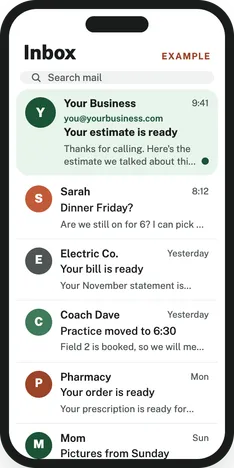
What's included in business email setup
- Your domain, if you don't have one yet
- Google Workspace or Microsoft 365, billed to you directly
- Your mailboxes, plus extra addresses like billing@ or jobs@ if you want them
- SPF, DKIM, and DMARC records, so other mail servers trust mail from your domain
- Forwarding from your old Gmail, so messages sent to the old address still reach you
- Your new email on your phone and computer
How business email setup works
- You call or send the form. I check your domain and how your email is set up now.
- You get a quote. You pick Google Workspace or Microsoft 365, and I open the account.
- I add your mailboxes and the SPF, DKIM, and DMARC records, set up forwarding from your old address, and send test mail to make sure it lands.
Google Workspace or Microsoft 365
Both work well for a small business. Pick the one whose apps you already use.
| Google Workspace | Microsoft 365 | |
|---|---|---|
| Email app | Gmail | Outlook |
| Documents | Google Docs, Sheets, and Drive | Word, Excel, and OneDrive |
| Who bills you | Google, directly | Microsoft, directly |
| Good fit if | You already use Gmail | You already use Word and Excel |
Why some business email lands in spam
Spam filters check three records on your domain before deciding where your mail goes. I set up all three.
- SPF lists the servers allowed to send mail for your domain.
- DKIM adds a signature that shows the message wasn't changed on the way.
- DMARC tells other mail servers what to do with mail that fails those checks.
Without them, your mail is more likely to land in spam or be turned away, and it's easier for someone else to send mail pretending to be you.
Questions about business email
How do I get a business email?
You need a domain and an email service. You register the domain, sign up for Google Workspace or Microsoft 365, and connect the two with a few records on the domain. I do this with you.
Can I get a business email without a website?
Yes. You need a domain, not a website. The domain can run your email with no website on it.
Should I use Google Workspace or Microsoft 365?
Use the one whose apps you already know. Gmail users usually like Google Workspace, and people who live in Word and Excel usually like Microsoft 365. Either way, the account bills you directly.
Why is my email going to spam?
Often it's because your domain is missing SPF, DKIM, or DMARC records, or one of them is set up wrong. I check all three during the free check.
Will I lose my old Gmail?
No. Your old Gmail keeps working. I set it to forward to your new address, so customers who still have the old one can reach you.
More I can set up for you
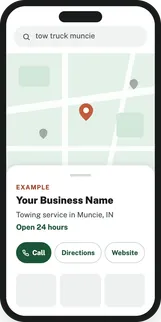
Google Maps
Your business on Google Maps with the right category, your service area, and your hours. I also make your listings on Bing, Apple Maps, Yelp, and Facebook match it.
Google Business Profile setup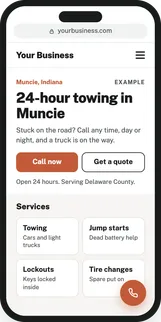
Websites
Web design for small businesses: a site that loads fast on a phone and makes it easy for customers to call or reach you. Your name, number, and hours match your Google profile.
Website design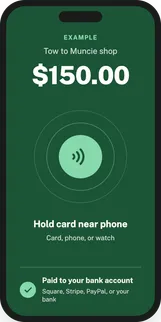
Card payments
Tap to pay on your phone, a card reader for the counter, payment links, and invoices. Through Square, Stripe, PayPal, or your bank.
Card payment setup