Take card payments at the job, the counter, or by invoice
I set up card payments for small businesses in Muncie and the rest of Delaware County. The payment account pays into your bank.
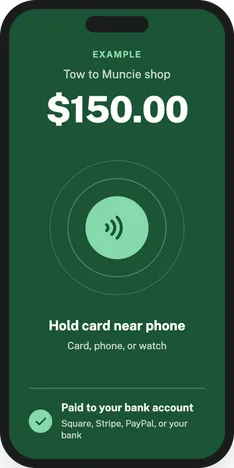
What's included in card payment setup
- A payment account with Square, Stripe, PayPal, or your bank's option
- Tap to Pay on your iPhone or Android phone, so customers tap their card on your phone
- A card reader for the counter, if you want one
- Payment links you can text or email
- Invoices customers can pay by card
How card payment setup works
- You call or send the form. I ask where and how you get paid now.
- We look at each provider's current fees on their own site before you choose. Then you get a quote.
- You open the account and connect your bank yourself. I set up the rest and run a test payment with you.
Good to know
- Fees are different for each provider, and they change. That's why I show you each provider's current rates before you choose instead of listing numbers here.
- I never ask for or use your bank login. You connect your bank to the payment account yourself.
- New accounts can have payout holds. A provider can hold your first payouts while it reviews a new account, so don't count on that money the same day.
Questions about taking card payments
Should I use Square or Stripe?
It depends on where you get paid. Square is built around taking payments in person, with its own app and card readers. Stripe is built more for online payments, payment links, and invoices. PayPal and your bank's option are worth comparing too. I go over it with you before you choose.
How do I take card payments on my phone?
Turn on Tap to Pay in your payment app. On a supported iPhone or Android phone, the customer taps their card or phone on yours, and you don't need a reader.
How can a contractor accept credit card payments?
At the job, take the card with Tap to Pay on your phone. For deposits and bigger jobs, send an invoice or a payment link the customer pays online.
Do I need a card reader?
Not if Tap to Pay works on your phone. A reader is handy at a counter, or for cards that can't tap.
How does invoicing work for a small business?
You send an invoice by text or email, and the customer pays it by card from a link. The money goes to your payment account, then to your bank.
More I can set up for you
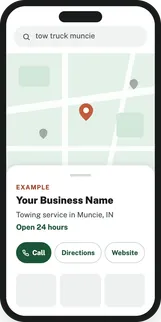
Google Maps
Your business on Google Maps with the right category, your service area, and your hours. I also make your listings on Bing, Apple Maps, Yelp, and Facebook match it.
Google Business Profile setup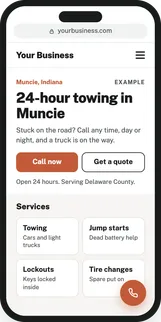
Websites
Web design for small businesses: a site that loads fast on a phone and makes it easy for customers to call or reach you. Your name, number, and hours match your Google profile.
Website design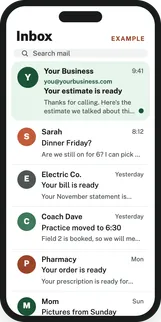
Business email
An address at your own domain, like you@yourbusiness.com, set up so your mail lands in the inbox instead of spam.
Business email setup